





How Does Website Speed Affect Google Rankings?
A website can look professional, contain useful information and target the right keywords—but if visitors are left waiting for pages to load, its overall search performance and business results can still suffer.
Website speed is often discussed as if Google simply measures loading time and gives every fast website a ranking boost. The reality is more nuanced.
Website speed supports SEO because it contributes to page experience, usability, crawling efficiency and conversions. But speed alone will not make weak content outrank a more relevant, useful result.
For businesses investing in Website Speed Optimization Services India, the objective should therefore go beyond getting a perfect performance score. The real goal is to build a website that is fast, useful, accessible and easy for customers to use.
Why Website Speed Matters for SEO
Think about two websites offering similar services.
A visitor opens the first website and immediately sees the main content. Navigation feels responsive, buttons work smoothly and the page remains visually stable.
They open the second website and experience:
Loading… waiting… layout shifting… another delay…
Which website creates the better experience?
Usually, the first one.
Google’s ranking systems use many signals, and Google says Core Web Vitals are used by its ranking systems as part of page experience. At the same time, Google specifically warns that achieving good Core Web Vitals does not guarantee top rankings because relevance and other factors remain important.
This distinction matters.
Speed can strengthen your SEO foundation. It cannot replace relevance, quality and usefulness.
How Does Website Speed Affect Google Rankings?
Website performance can influence search success through several connected areas.
1. Page Experience Becomes Better
Fast-loading and responsive pages generally create a smoother experience.
Users should be able to:
- Reach important content quickly
- Interact with buttons without frustrating delays
- Navigate between pages smoothly
- Read without elements unexpectedly moving
- Complete forms and actions comfortably
Google encourages site owners to provide a good overall page experience rather than optimizing only one isolated signal.
So speed optimization should be treated as part of user experience SEO, not merely a technical checklist.
2. Core Web Vitals Connect Performance With Real User Experience
One of the most useful ways to understand website performance is through Core Web Vitals.
Google currently identifies three Core Web Vitals:
Largest Contentful Paint (LCP)
LCP measures loading performance—essentially how quickly the main visible content becomes available.
Google recommends an LCP of 2.5 seconds or less for a good experience.
Interaction to Next Paint (INP)
INP measures responsiveness.
It looks at how quickly a page visually responds when someone interacts with it. A good INP is 200 milliseconds or less.
Cumulative Layout Shift (CLS)
CLS measures visual stability.
Have you ever tried clicking a button, only for an advertisement or image to suddenly move everything?
That is exactly the kind of frustrating experience CLS helps identify.
A good CLS score is 0.1 or less.
Google recommends assessing these thresholds at the 75th percentile of page loads, separately for mobile and desktop.
The simple version is:
LCP → Does it load quickly?
INP → Does it respond quickly?
CLS → Does it stay visually stable?
Does a Faster Website Automatically Rank Higher?
No.
This is one of the biggest misconceptions in technical SEO.
Imagine:
Website A: Extremely fast but has thin, irrelevant content.
Website B: Slightly slower but provides exactly what the searcher needs with original, comprehensive and trustworthy information.
You cannot assume Website A will outrank Website B simply because it loads faster.
Google explicitly states that there are many aspects to page experience and that good Core Web Vitals alone do not guarantee good rankings.
That means businesses should avoid thinking:
“We got 100/100 on a speed test, so now we should rank #1.”
Instead, think:
Technical Performance + Relevant Content + Search Intent + Internal Linking + Authority + User Experience = Stronger SEO Foundation
Website Speed Can Affect What Happens After the Click
Rankings are only one part of SEO success.
Suppose your website starts appearing for a valuable keyword and receives 1,000 visitors.
If users arrive but encounter a frustrating website, that traffic may produce fewer:
- Product views
- Form submissions
- Calls
- Purchases
- Appointment requests
- Quote requests
This is where website speed becomes a business-performance issue, not merely an SEO issue.
A successful website should not just attract visitors.
It should help them move from:
Search → Visit → Explore → Trust → Action
A slow or unstable experience can create friction anywhere in that journey.
Mobile Speed Deserves Special Attention
Many businesses review their website from an office computer connected to fast Wi-Fi and conclude:
“The website loads perfectly.”
But your customers may be accessing it from a mid-range smartphone on a weaker mobile connection.
That is a completely different experience.
Google uses the mobile version of a site’s content for indexing and ranking, known as mobile-first indexing.
Therefore, your website should work properly on mobile—not simply shrink to fit a smaller screen.
Check:
Loading speed
Font readability
Button accessibility
Navigation
Image loading
Forms
Pop-ups
Layout stability
Interactive elements
A mobile website should feel intentionally designed for mobile visitors.
What Usually Makes a Website Slow?
Website speed problems rarely come from one single issue.
Several small problems can accumulate.
Heavy, Unoptimized Images
A website may upload a 4 MB image only to display it inside a small section.
That forces visitors to download unnecessary data.
Images should be appropriately sized, compressed and delivered using suitable modern formats where practical.
Too Much JavaScript
Plugins, tracking scripts, animations, chat widgets, advertising scripts and other third-party tools can increase the amount of JavaScript a browser must process.
Some scripts are valuable.
Others may be running without providing meaningful business value.
The objective should not be:
“Remove all JavaScript.”
It should be:
“Keep what creates value and reduce unnecessary work.”
Poor Hosting Performance
You can optimize images and CSS perfectly, but weak server performance can still make the website feel slow.
Hosting should therefore be considered part of the performance strategy.
This becomes especially important for:
- E-commerce stores
- High-traffic websites
- Large WordPress sites
- International audiences
- Resource-heavy websites
Too Many WordPress Plugins
WordPress plugins are not automatically bad.
A well-developed plugin may have almost no noticeable impact, while a poorly optimized plugin can create unnecessary database queries, scripts or requests.
Instead of asking:
“How many plugins are too many?”
Ask:
“Which plugins are actually affecting performance?”
Audit before deleting.
Render-Blocking Resources
Some CSS and JavaScript resources can delay the browser from displaying important content.
Performance optimization may involve prioritizing critical resources and loading less important assets more efficiently.
However, technical changes should be tested carefully. Aggressive optimization can break layouts, menus, forms or tracking.
Unnecessary Third-Party Scripts
A website might contain:
- Multiple analytics systems
- Old tracking pixels
- Chat widgets
- Heatmaps
- Social widgets
- Advertising scripts
- Embedded tools
Every addition has a cost.
Periodically ask:
Do we still need this script?
Removing unused third-party code can sometimes produce cleaner performance without changing the website’s visible design.
Speed Testing: Don’t Depend on One Score
A common SEO mistake is obsessing over a single number.
Someone runs a speed test and sees:
Performance Score: 92
They celebrate.
Or they see:
Performance Score: 48
They panic.
Neither reaction tells the full story.
A website should be evaluated using both lab data and real-user data where available.
Google’s PageSpeed Insights reports both lab diagnostics and Chrome User Experience Report field data when sufficient real-world data exists.
Useful tools include:
Google PageSpeed Insights
Google Search Console – Core Web Vitals
Chrome DevTools / Lighthouse
But remember:
The objective is not to win a speed-test competition.
The objective is to improve the experience of actual visitors.
Why Your PageSpeed Score Can Change Between Tests
You may test the same URL twice and receive different numbers.
That does not necessarily mean something is broken.
Lab-test results can vary because of factors such as:
- Network conditions
- Server response
- Resource timing
- Third-party scripts
- Testing environment
- Dynamic website behavior
Focus on persistent problems and meaningful trends instead of chasing every tiny score fluctuation.
How to Improve Website Speed for Better SEO Performance
A professional optimization process should begin with diagnosis.
Step 1: Measure Before Making Changes
Identify:
- Slow templates
- Core Web Vitals problems
- Large resources
- Heavy scripts
- Server delays
- Layout shifts
- Mobile-specific issues
Without diagnosis, optimization becomes guesswork.
Step 2: Optimize Images
Review:
Dimensions → Compression → Format → Delivery → Lazy Loading
Do not serve unnecessarily large files when smaller versions would provide the same visual quality.
Also avoid compressing images so aggressively that important product or brand visuals become poor quality.
Step 3: Improve Server Response
Depending on the website, this may involve:
- Better hosting
- Page caching
- Object caching
- Database optimization
- CDN implementation
- Server configuration
- Removing unnecessary backend processes
The exact solution depends on the technology and traffic profile.
Step 4: Reduce Unnecessary Code
Audit CSS and JavaScript.
Look for:
- Unused scripts
- Duplicate libraries
- Heavy plugins
- Old tracking code
- Excessive animations
- Unnecessary third-party resources
Optimization should make the website leaner without breaking essential functionality.
Step 5: Prioritize Above-the-Fold Content
Visitors should not wait for every element on a long page before seeing the important opening content.
Prioritize the resources required for the initial view while deferring non-critical work where appropriate.
This can help improve perceived performance as well as key loading metrics.
Step 6: Fix Layout Shifts
If images, banners or embedded elements suddenly move content while the page loads, users can accidentally click the wrong element.
Common improvements include reserving appropriate space for:
- Images
- Videos
- Advertisements
- Embeds
- Dynamic sections
Stable layouts feel more professional and easier to use.
Step 7: Improve Interaction Responsiveness
A page can appear loaded but still feel slow when a user clicks a menu or button.
That is why responsiveness matters.
Review heavy JavaScript tasks and interactions that delay visible feedback.
A website should not merely look loaded.
It should feel ready to use.
Website Speed and Crawling: Is There a Connection?
Performance can also matter at the crawling level, particularly on large websites.
Google explains that when a site responds quickly, Googlebot can crawl more pages using the same number of connections; if a site slows down or returns server errors, crawling can decrease.
For a small website with 20 pages, this may not be the biggest concern.
For an e-commerce or publishing website with tens of thousands of URLs, crawl efficiency can become much more relevant.
That is another reason technical SEO should consider server health and scalability, not just front-end design.
Speed Optimization Mistakes Businesses Should Avoid
Trying to make a website faster can sometimes create new problems.
Removing Important Features Just for a Better Score
A conversion-focused feature should not automatically be removed because it costs a few performance points.
Evaluate its business value first.
Installing Multiple Speed Plugins
More optimization plugins do not necessarily mean more optimization.
They can conflict with each other and make troubleshooting difficult.
Compressing Everything Aggressively
Poor image quality can damage the appearance of a premium brand or e-commerce product.
Balance performance with presentation.
Ignoring Mobile Performance
Desktop-only optimization misses a major part of the customer experience.
Chasing 100/100 Instead of Business Results
A perfect score is not the business objective.
A better objective is:
Fast Experience + Useful Content + Better Visibility + More Conversions
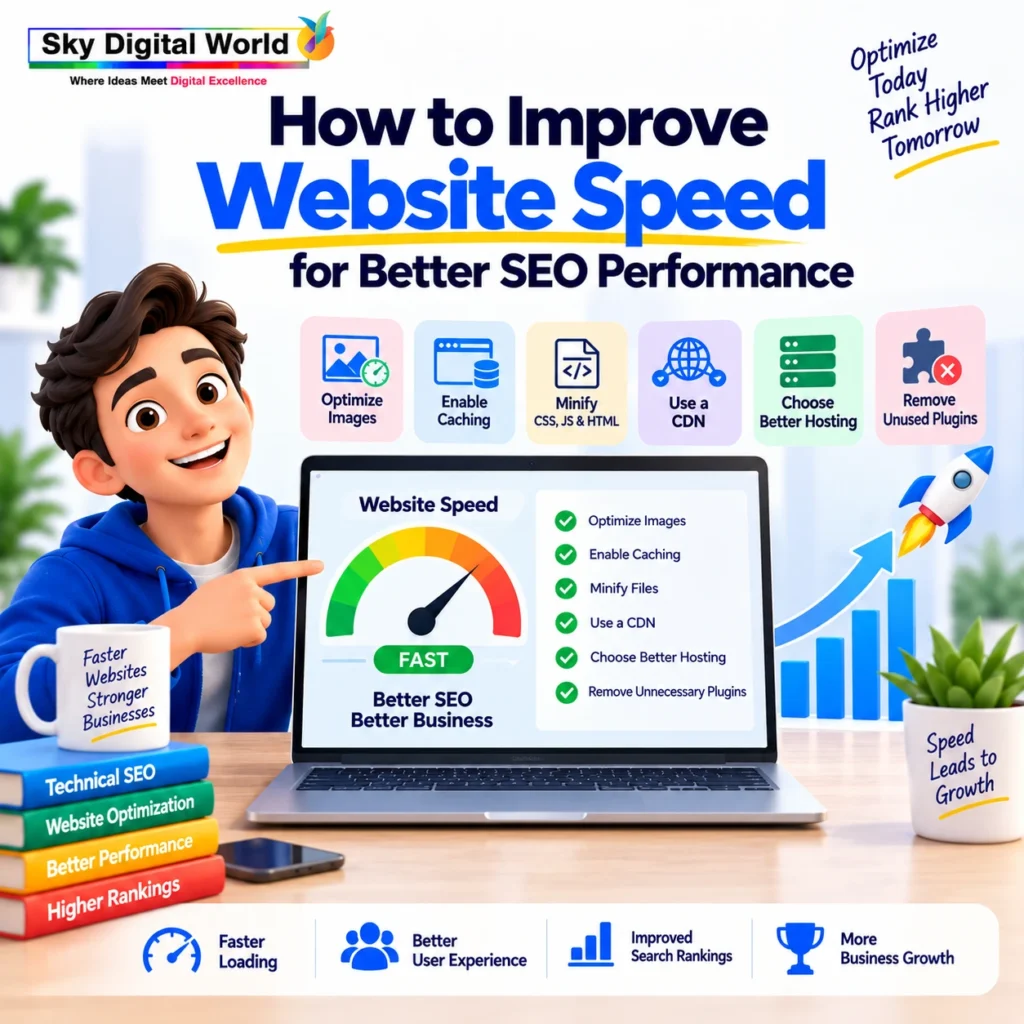
How to Improve Website Speed for Better SEO Performance
A professional optimization process should begin with diagnosis.
Step 1: Measure Before Making Changes
Identify:
- Slow templates
- Core Web Vitals problems
- Large resources
- Heavy scripts
- Server delays
- Layout shifts
- Mobile-specific issues
Without diagnosis, optimization becomes guesswork.
Step 2: Optimize Images
Review:
Dimensions → Compression → Format → Delivery → Lazy Loading
Do not serve unnecessarily large files when smaller versions would provide the same visual quality.
Also avoid compressing images so aggressively that important product or brand visuals become poor quality.
Step 3: Improve Server Response
Depending on the website, this may involve:
- Better hosting
- Page caching
- Object caching
- Database optimization
- CDN implementation
- Server configuration
- Removing unnecessary backend processes
The exact solution depends on the technology and traffic profile.
Step 4: Reduce Unnecessary Code
Audit CSS and JavaScript.
Look for:
- Unused scripts
- Duplicate libraries
- Heavy plugins
- Old tracking code
- Excessive animations
- Unnecessary third-party resources
Optimization should make the website leaner without breaking essential functionality.
Step 5: Prioritize Above-the-Fold Content
Visitors should not wait for every element on a long page before seeing the important opening content.
Prioritize the resources required for the initial view while deferring non-critical work where appropriate.
This can help improve perceived performance as well as key loading metrics.
Step 6: Fix Layout Shifts
If images, banners or embedded elements suddenly move content while the page loads, users can accidentally click the wrong element.
Common improvements include reserving appropriate space for:
- Images
- Videos
- Advertisements
- Embeds
- Dynamic sections
Stable layouts feel more professional and easier to use.
Step 7: Improve Interaction Responsiveness
A page can appear loaded but still feel slow when a user clicks a menu or button.
That is why responsiveness matters.
Review heavy JavaScript tasks and interactions that delay visible feedback.
A website should not merely look loaded.
It should feel ready to use.
Website Speed and Crawling: Is There a Connection?
Performance can also matter at the crawling level, particularly on large websites.
Google explains that when a site responds quickly, Googlebot can crawl more pages using the same number of connections; if a site slows down or returns server errors, crawling can decrease.
For a small website with 20 pages, this may not be the biggest concern.
For an e-commerce or publishing website with tens of thousands of URLs, crawl efficiency can become much more relevant.
That is another reason technical SEO should consider server health and scalability, not just front-end design.
Speed Optimization Mistakes Businesses Should Avoid
Trying to make a website faster can sometimes create new problems.
Removing Important Features Just for a Better Score
A conversion-focused feature should not automatically be removed because it costs a few performance points.
Evaluate its business value first.
Installing Multiple Speed Plugins
More optimization plugins do not necessarily mean more optimization.
They can conflict with each other and make troubleshooting difficult.
Compressing Everything Aggressively
Poor image quality can damage the appearance of a premium brand or e-commerce product.
Balance performance with presentation.
Ignoring Mobile Performance
Desktop-only optimization misses a major part of the customer experience.
Chasing 100/100 Instead of Business Results
A perfect score is not the business objective.
A better objective is:
Fast Experience + Useful Content + Better Visibility + More Conversions
How Website Speed Fits Into a Complete SEO Strategy
Website performance should never operate in isolation.
A strong SEO strategy combines:
Technical SEO
Makes the website accessible, crawlable and technically healthy.
Keyword & Search Intent Strategy
Connects pages with what customers actually search for.
Content Quality
Provides useful information that satisfies the searcher’s needs.
Internal Linking
Connects related pages and creates a clearer site structure.
Website Speed & Core Web Vitals
Improves loading, responsiveness and visual stability.
Authority Building
Strengthens the website’s reputation and broader digital presence.
Conversion Optimization
Turns visibility and traffic into meaningful business actions.
Think of website speed as one part of the system.
A fast website with poor content will struggle.
Great content on a frustrating website also leaves opportunities on the table.
The strongest results come when performance and usefulness work together.
What Should Website Speed Optimization Services India Include?
Businesses looking for professional Website Speed Optimization Services India should expect more than simply installing a caching plugin.
A comprehensive service may include:
- Website performance audit
- Core Web Vitals analysis
- Mobile and desktop testing
- Image optimization
- CSS and JavaScript analysis
- Caching configuration
- Server response evaluation
- CDN assessment
- Database optimization where relevant
- Plugin and third-party script audit
- Layout-shift improvements
- Interaction responsiveness analysis
- Before-and-after performance testing
- Search Console monitoring
- Ongoing technical SEO recommendations
Most importantly, optimization should preserve the website’s important design, functionality, analytics and conversion elements.
A Simple Website Speed Framework for Businesses
Instead of thinking only about milliseconds, use this framework:
Load → Respond → Stay Stable → Engage → Convert
Load
Can visitors access important content quickly?
Respond
Does the website react quickly when they interact?
Stay Stable
Does the layout remain predictable while loading?
Engage
Can visitors comfortably explore the content?
Convert
Can they easily complete the desired action?
This turns website performance from a technical metric into a business growth strategy.
Final Thoughts
So, how does website speed affect Google rankings?
Website performance contributes to the overall page experience, and Core Web Vitals are used by Google’s ranking systems. But speed is not a shortcut to the top of Google, and excellent Core Web Vitals alone cannot guarantee higher rankings.
The better approach is to create a website that combines:
Speed + Technical Health + Helpful Content + Search Intent + Authority + User Experience
Do not optimize your website simply to turn a performance score from red to green.
Optimize it so that when a potential customer discovers your business, the website is ready to deliver a fast, smooth and useful experience that makes the next action easier.
That is where website speed becomes more than an SEO metric—it becomes part of your overall digital growth strategy.
provide the faq and provide the blog details
FAQs
1. Does website speed directly affect Google rankings?
Website performance is part of Google’s broader page-experience considerations, and Core Web Vitals are used by Google’s ranking systems. However, a fast website is not automatically guaranteed higher rankings. Content relevance, quality, technical SEO, authority and search intent remain important.
2. What is a good website loading speed for SEO?
Instead of focusing only on total loading time, businesses should monitor Core Web Vitals. Useful targets include LCP of 2.5 seconds or less, INP of 200 milliseconds or less, and CLS of 0.1 or less, measured at the 75th percentile of visits.
3. Can improving website speed increase organic traffic?
It can support organic performance by improving page experience and removing technical friction. However, speed optimization works best alongside useful content, keyword targeting, internal linking, technical SEO and authority building.
4. Why is my website slow even after using a caching plugin?
Caching solves only certain performance problems. Large images, excessive JavaScript, poor hosting, heavy plugins, third-party scripts, database issues and inefficient code can still slow a website down. A complete performance audit is usually more useful than repeatedly installing optimization plugins.
5. Is mobile website speed important for SEO?
Yes. Google uses the mobile version of a site’s content for indexing and ranking, so businesses should pay close attention to mobile loading, responsiveness, layout stability, navigation and usability—not only desktop performance.